แบ่งปัน Windows X-Lite 'Micro 10' SE

bbbskgt

User title ladder


63%
Joined
Sep 6, 2023
Messages
48
Country flag
QiaVIA.png


DESIGNED TO BREATHE NEW LIFE INTO YOUR PC!
Windows 10 22H2 Pro (OS Build 19045.3757) x64 By @FBConan


• Metered connection is enabled by default in this build. I highly
recommend leaving it enabled. This means Windows will not automatically
download drivers for your PC, so I recommend downloading drivers directly
from the MFG for your PC instead!

• Windows Update Service and Windows Firewall are also disabled by default,
but can be easily enabled through the Start Menu - X-Lite Tools Folder.
You'll need to enable the Windows Update Service to use the Microsoft
Store, and to install additional Language Packs.

• To allow full Windows Settings translation support
when adding an additional language, turn off metered connection
and turn on Windows Update service first, then install your desired
language pack, followed by restarting your PC to complete changes!

• This release does not have .NET Framework 3.5 Pre-installed,
and it cannot be added. It does have full support for .NET 4.8, and
full support for installing .NET Desktop Runtime 5, 6, 7, 8 etc.


WHAT'S HOT!?
• 1.2GB ISO!
• 2GB Installed Size!
• Virtual Memory enabled by default!
• Includes Optional System Transparency!
• Integrated Intel RST Drivers into Windows Setup!
• Offers Enhanced Performance, Privacy and Control!
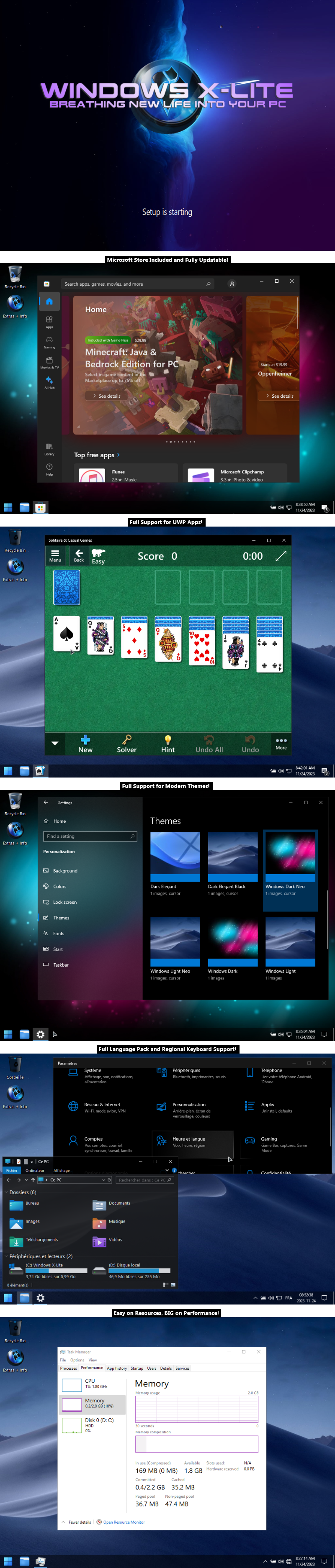
• Full Support for UWP Apps, Xbox, MS Store and much more!
• Updated Framework, Runtime Libraries, and Desktop App Installer!
• Includes Custom Themes, Wallpaper, Cursors and Much More!
• Additional Improvements and Optimizations!
• No Pre-installed UWP Apps!

• Full Support for Legacy PC's
• Full Support for Desktops, Laptops, and Tablet PC's
• Full Support for Additional Language Packs

💥 Designed to work on All PC's. Old or new, weak or strong, Desktop or Laptop.



QuxKwc.png


- Removed Features -
Cortana, Smart Screen, Edge, UWP Apps, BitLocker, Hyper-V,
WSL2, One Drive, Smart Card, Windows Defender, Windows Mail,
Backup and Restore, Telemetry, Diagnostics, Troubleshooting,
Maps, Optional Feature Support (WSL2, Hyper-V, Sandbox, etc.),
Update Support, Component Store, Speech, Voice Activation, Some Fonts.

- Disabled Features -
Error Reporting, Indexing, UAC, Ads, Telemetry,
Hibernation, Power Throttling, Automatic Maintenance.

- Enabled Features -
DirectPlay, SMB1

- Performance Prioritized -
This build has been designed to Maximize Performance,
Responsiveness, and Resource Savings.


QuxO5z.png


• Use
Rufus to write the ISO to a USB Drive.
• Boot from USB Drive, and Perform a Clean Installation to your desired partition.
• Requires 2GB RAM, and 7 GB Storage Space.
• Your PC Will Restart Once After Install.



QuxkA3.png


• I highly recommend you download and install DX9 and VC++ Runtimes, you can download them HERE
• For AMD Ryzen Powered PC's 💻, please download the latest Chipset Drivers found at the bottom of my thread HERE
• If you have any issues Installing this Build on your PC, Please Read Part 6 of my Tutorial to fix those issues HERE

• If you are missing font characters, download and install all the fonts available in this package HERE

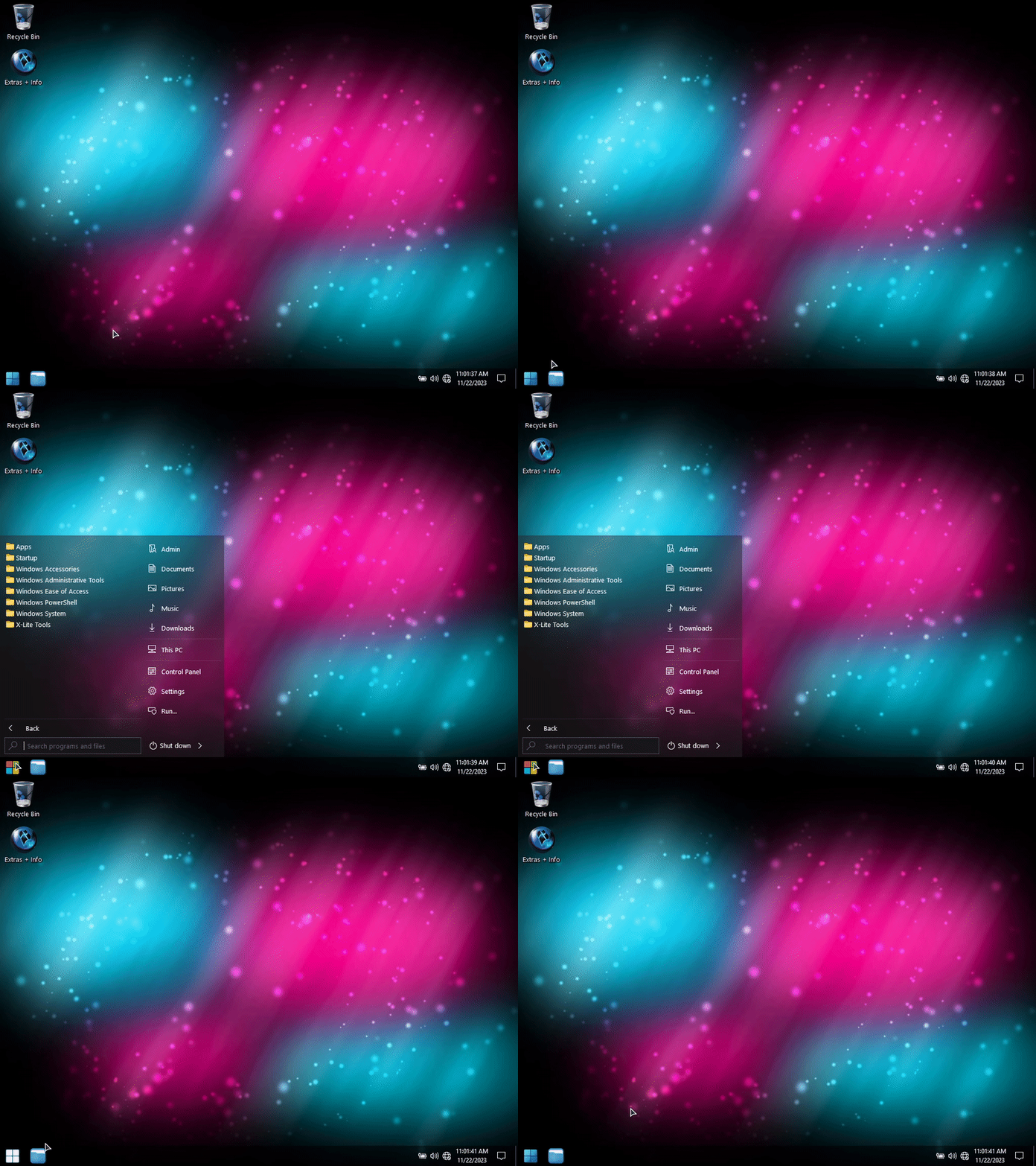
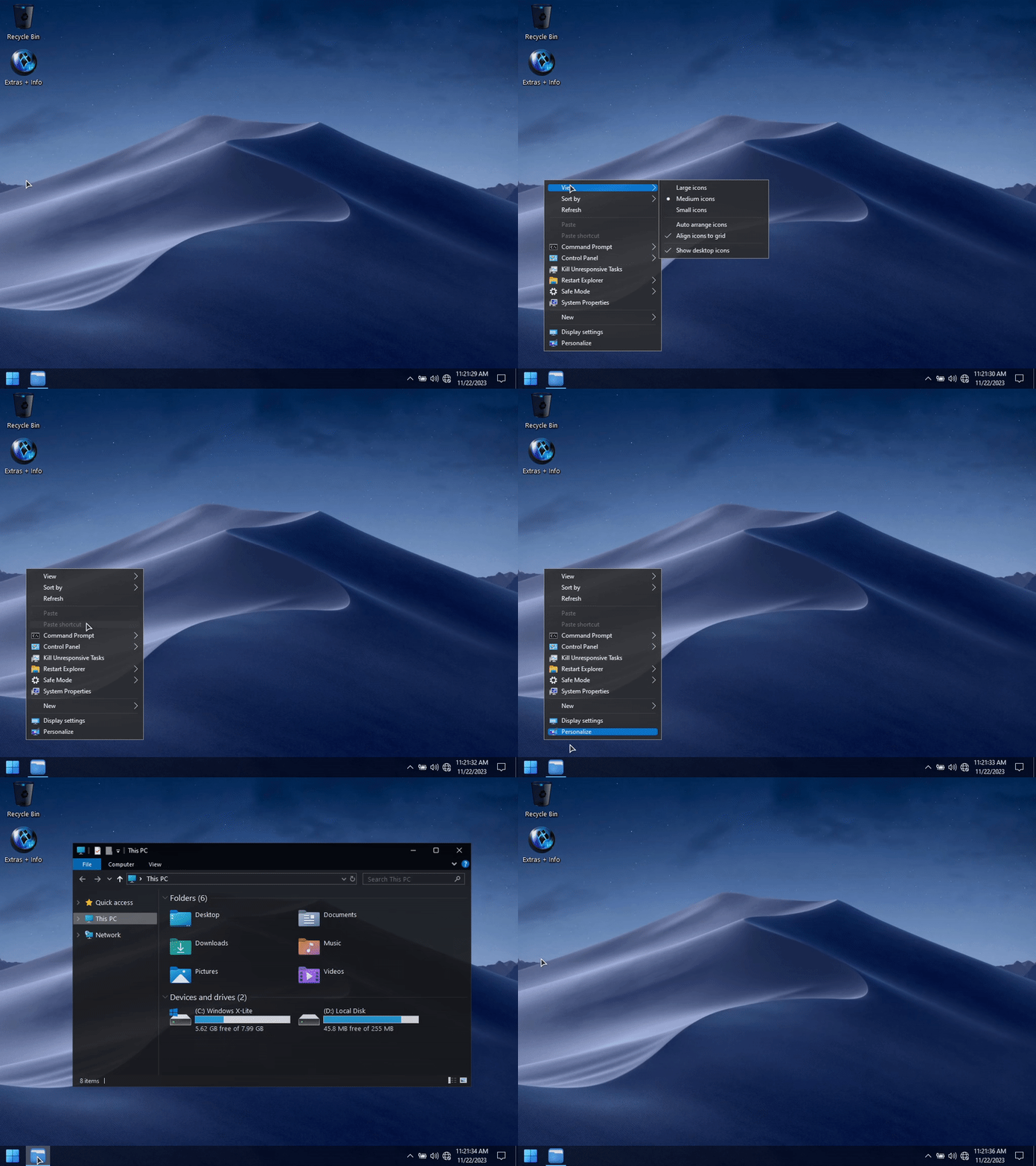
QuxoiM.png


Qiamf5.gif


QiaLPg.gif


QcQFfQ.png


• If you want to add the Microsoft Store, or other basic Windows Apps to
this release, I've included downloadable installers below:

APP DOWNLOAD LINKS:
➡️Microsoft Store Installer
➡️Windows 7 Game Suite
➡️Calculator
➡️Camera
➡️Paint
➡️Rufus

ISO DOWNLOAD LINKS:
➡️PART 1 (USERSDRIVE)
➡️PART 2 (USERSDRIVE)

ALTERNATE ISO LINKS:
➡️PART 1 (UPLOADRAR)
➡️PART 2 (UPLOADRAR)
 

sunee156

User title ladder


8%
Joined
Jan 1, 2024
Messages
9
Country flag
ขอบคุณครับ ขอลองใช้งานดูครับ
 

weerayut0221

User title ladder


13%
Joined
Feb 19, 2024
Messages
10
Country flag
QiaVIA.png


DESIGNED TO BREATHE NEW LIFE INTO YOUR PC!
Windows 10 22H2 Pro (OS Build 19045.3757) x64 By @FBConan


• Metered connection is enabled by default in this build. I highly
recommend leaving it enabled. This means Windows will not automatically
download drivers for your PC, so I recommend downloading drivers directly
from the MFG for your PC instead!

• Windows Update Service and Windows Firewall are also disabled by default,
but can be easily enabled through the Start Menu - X-Lite Tools Folder.
You'll need to enable the Windows Update Service to use the Microsoft
Store, and to install additional Language Packs.

• To allow full Windows Settings translation support
when adding an additional language, turn off metered connection
and turn on Windows Update service first, then install your desired
language pack, followed by restarting your PC to complete changes!

• This release does not have .NET Framework 3.5 Pre-installed,
and it cannot be added. It does have full support for .NET 4.8, and
full support for installing .NET Desktop Runtime 5, 6, 7, 8 etc.


WHAT'S HOT!?
• 1.2GB ISO!
• 2GB Installed Size!
• Virtual Memory enabled by default!
• Includes Optional System Transparency!
• Integrated Intel RST Drivers into Windows Setup!
• Offers Enhanced Performance, Privacy and Control!
• Full Support for UWP Apps, Xbox, MS Store and much more!
• Updated Framework, Runtime Libraries, and Desktop App Installer!
• Includes Custom Themes, Wallpaper, Cursors and Much More!
• Additional Improvements and Optimizations!
• No Pre-installed UWP Apps!

• Full Support for Legacy PC's
• Full Support for Desktops, Laptops, and Tablet PC's
• Full Support for Additional Language Packs

💥 Designed to work on All PC's. Old or new, weak or strong, Desktop or Laptop.


QuxKwc.png


- Removed Features -
Cortana, Smart Screen, Edge, UWP Apps, BitLocker, Hyper-V,
WSL2, One Drive, Smart Card, Windows Defender, Windows Mail,
Backup and Restore, Telemetry, Diagnostics, Troubleshooting,
Maps, Optional Feature Support (WSL2, Hyper-V, Sandbox, etc.),
Update Support, Component Store, Speech, Voice Activation, Some Fonts.

- Disabled Features -
Error Reporting, Indexing, UAC, Ads, Telemetry,
Hibernation, Power Throttling, Automatic Maintenance.

- Enabled Features -
DirectPlay, SMB1

- Performance Prioritized -
This build has been designed to Maximize Performance,
Responsiveness, and Resource Savings.


QuxO5z.png


• Use
Rufus to write the ISO to a USB Drive.
• Boot from USB Drive, and Perform a Clean Installation to your desired partition.
• Requires 2GB RAM, and 7 GB Storage Space.
• Your PC Will Restart Once After Install.


QuxkA3.png


• I highly recommend you download and install DX9 and VC++ Runtimes, you can download them HERE
• For AMD Ryzen Powered PC's 💻, please download the latest Chipset Drivers found at the bottom of my thread HERE
• If you have any issues Installing this Build on your PC, Please Read Part 6 of my Tutorial to fix those issues HERE

• If you are missing font characters, download and install all the fonts available in this package HERE


QuxoiM.png


Qiamf5.gif


QiaLPg.gif


QcQFfQ.png


• If you want to add the Microsoft Store, or other basic Windows Apps to
this release, I've included downloadable installers below:

APP DOWNLOAD LINKS:
➡️Microsoft Store Installer
➡️Windows 7 Game Suite
➡️Calculator
➡️Camera
➡️Paint
➡️Rufus

ISO DOWNLOAD LINKS:
➡️PART 1 (USERSDRIVE)
➡️PART 2 (USERSDRIVE)

ALTERNATE ISO LINKS:
➡️PART 1 (UPLOADRAR)
➡️PART 2 (UPLOADRAR)
ขอบคุณครับ
 

Sir.Sak

User title ladder


28%
Joined
Feb 19, 2024
Messages
20
Country flag
เคยใช้ XP Micro หลายปีมาแล้ว ก็เร็วดี แต่สภาวการณ์ปัจจุบัน เกรงมันจะมีช่องโหว่ แต่เอาเถอะ ไม่มีสาระ ข้อมูลสำคัญอะไรให้แหก เหอๆ ใช้แบบออฟไลน์คงเร็วแรงลื่นหัวแตก อิอิ
 
Top Bottom